Replay QA
Replay QA is an automated web application testing tool that identifies and reports real, existing bugs.
- Region
- Overseas
- Pricing
- Free + Paid
- Open source
- No
- Views
- 4
- Source
- TheresAnAIForThat
- Added
- 2026-06-16
- Last verified
- 2026-06-16
Overview
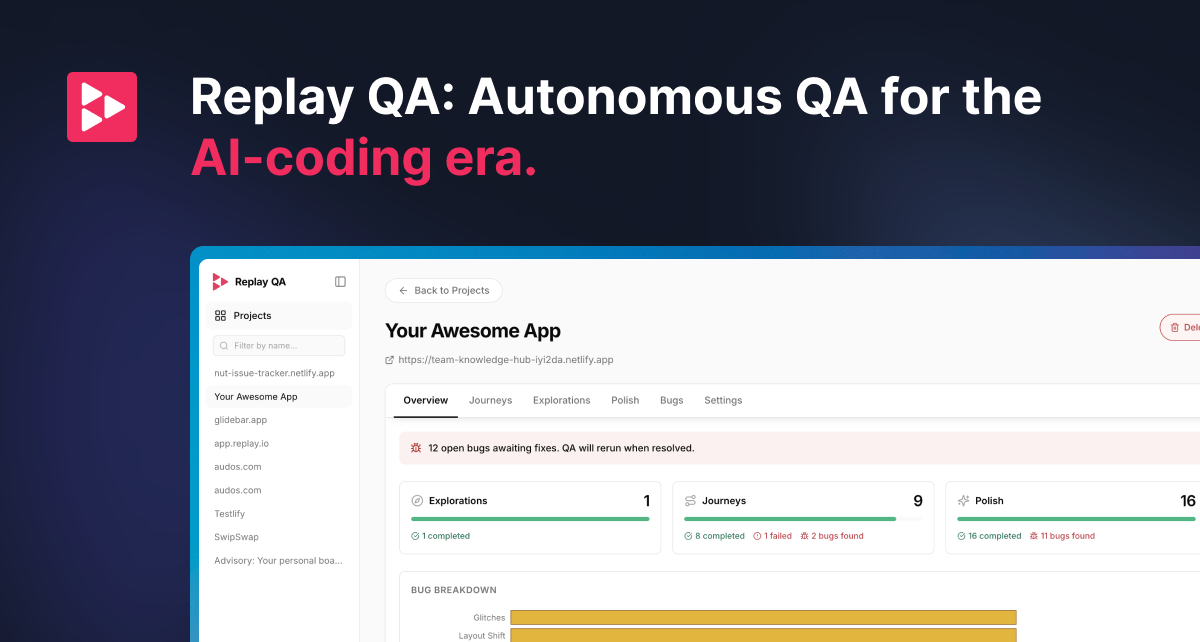
Replay QA is an AI-powered web application testing tool. Simply provide a URL, and it automatically explores your web application, records every session, and uncovers actual bugs. Replay QA not only detects issues but also provides root cause analysis and repair suggestions to coding agents. It works for various types of web applications, including marketing websites, SaaS products, and internal tools. No configuration or test file writing is required—just one URL to start testing. Built on the same recording engine widely used by companies like Vercel and Glide, Replay QA ensures reliability and accuracy.
Key features
- ▪Automatically explore web applications
- ▪Record every session
- ▪Discover real, existing bugs
- ▪Provide root cause and repair suggestions
Use cases
Pros
- +No test files needed
- +Automatically discover and report bugs
- +Built on a proven recording engine
- +Supports multiple web application types
Limitations / notes
- -Requires internet connection
- -Higher learning curve
Who it's for
This overview was compiled by AI from public sources and may contain inaccuracies — please refer to the official site.
FAQ
Is it free?
Yes, a free trial is available. For specific pricing details, please check the official website pricing page.
Do I need scientific internet access?
No, just visit the official website directly to use it.
Does it support Chinese?
Mainly supports English, but can test Chinese websites.
Can it be used commercially?
Yes, for commercial terms, please refer to the official website.
Similar agents
Cursor
FeaturedAI-powered code editor with Agent mode
Dify
FeaturedOpen-source LLMOps + Agent orchestration platform
扣子 Coze
FeaturedByteDance's no-code Agent/Bot building platform
Trae
FeaturedAI IDE (with Agent) from ByteDance
LangChain
FeaturedThe most mainstream LLM/Agent orchestration framework
Devin
FeaturedAutonomous software engineer Agent by Cognition
Something wrong? Let us know on the About page and we'll fix it.